

Launch Profile
Dein Profil. Direkt geöffnet.
Wähle ein gespeichertes Chrome-Profil. Ein Tastendruck öffnet Chrome mit den Konten und Lesezeichen dieses Profils.
Die Taste zeigt das Google-Kontobild des Profils, wenn eines verfügbar ist.
Mit ChromeShift öffnest du Arbeitsprofile, Kundenpostfächer und Web-Apps mit eigenen Stream-Deck-Tasten. Auf dieser Website hieß das Plugin zuvor Arise Context Switcher for Google Chrome oder Context Switcher for Chrome.
Im Elgato Marketplace kaufen (öffnet in einem neuen Tab)Einmal kaufen. Dauerhaft nutzen.
ChromeShift
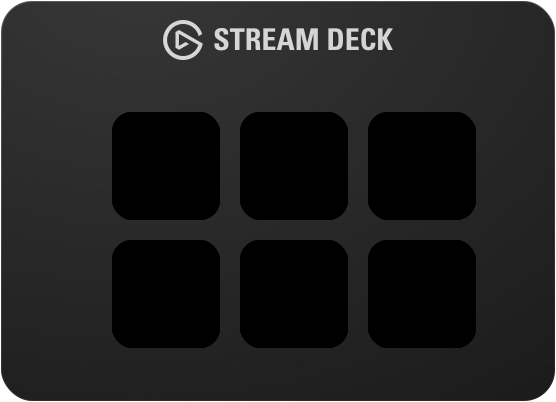
Jede Taste öffnet Chrome mit einem Profil oder einer Seite.
Interaktive Demo · Probiere jede Taste aus
Arbeit, Privates und Kundenkonten bleiben getrennt. Jeder Einstieg bekommt eine Taste, die du auf einen Blick erkennst.
Aktiviere den Stealth-Modus für eine Profil- oder Link-Taste, um direkt im Inkognito-Modus zu starten.
Launch Profile
Wähle ein gespeichertes Chrome-Profil. Ein Tastendruck öffnet Chrome mit den Konten und Lesezeichen dieses Profils.
Die Taste zeigt das Google-Kontobild des Profils, wenn eines verfügbar ist.

Launch Link
Öffne eine bestimmte URL im gewählten Profil. Das Kundenpostfach oder Projektboard ist nur einen Tastendruck entfernt.
Das Website-Symbol trägt ein kleines Profilbild. So erkennst du beides sofort.
Launch PWA
Starte eine im gewählten Chrome-Profil installierte Web-App ohne die Symbolleiste des Browsers.
Installiere die App zuerst in diesem Profil. Wähle sie dann in den Tasteneinstellungen aus.
Die Einrichtung erfolgt in der Stream-Deck-App. Für die drei Startaktionen brauchst du keine Browser-Erweiterung.
Benötigt Windows 10+ oder macOS 12+, Google Chrome, Stream-Deck-Hardware und Stream-Deck-Software 6.9+.
Anleitung & FehlerbehebungHole dir das Plugin im Elgato Marketplace. Seine Aktionen findest du anschließend in der Stream-Deck-App.
Ziehe eine Startaktion auf eine Taste und wähle ein Chrome-Profil. Ergänze bei Bedarf eine URL oder eine installierte Web-App.
Die Taste öffnet das gewählte Profil, die Seite oder die App. Ein kurzes Aufleuchten bestätigt den gesendeten Startbefehl.
Optional · Kostenlose Erweiterung · Beta
ChromeShift Companion verbindet Chrome mit deinem Stream Deck. Lege eine URL-Regel an und löse eine Aktion aus, wenn du eine passende Seite öffnest oder verlässt.
Funktioniert zusammen mit dem ChromeShift-Plugin. Regeln unterstützen Platzhalter und werden lokal auf deinem Computer ausgeführt.
Companion herunterladenWenn du eine passende Seite besuchst
project.example/*
Deine gewählte Stream-Deck-Aktion auslösen
Noch eine Frage offen? Schreib uns
Ja. ChromeShift unterstützt Windows ab Version 10 und macOS ab Version 12. Du brauchst Google Chrome, Stream-Deck-Hardware und Stream-Deck-Software ab Version 6.9.
Nein. Launch Profile, Launch Link und Launch PWA funktionieren allein mit dem Stream-Deck-Plugin. Die optionale kostenlose Companion-Erweiterung ergänzt browserbasierte Auslöser mit URL-Regeln.
Ja. Aktiviere den Stealth-Modus in den Einstellungen einer Profil- oder Link-Taste. Diese Taste öffnet dann ein Inkognito-Fenster.
Eine Progressive Web App ist eine Website, die über Chrome als App installiert wird. Sie öffnet sich in einem eigenen Fenster ohne Browser-Symbolleiste. Installiere sie im gewünschten Chrome-Profil und wähle sie anschließend in der Aktion Launch PWA aus.
Das Bild stammt aus deinen lokalen Chrome-Profildaten. Melde dich in diesem Profil mit einem Google-Konto an, das ein Bild hat, und lasse Chrome es synchronisieren. Profile ohne Bild verwenden das Standard-Tastensymbol. Du kannst auch ein eigenes Symbol festlegen.
Nein. Das Elgato AI Deck nutzt den Stream Deck MCP-Server, um Aktionen im aktuell sichtbaren Profil auszulösen. Profilstarts sind über den MCP-Server nicht verfügbar. Für Browser-Automatisierung nutze stattdessen die ChromeShift Companion-Erweiterung.
Ja. Arise Context Switcher for Google Chrome und Context Switcher for Chrome sind frühere Namen auf dieser Website für dasselbe Plugin. Der maßgebliche Name im Elgato Marketplace ist ChromeShift.
Lege deine täglichen Chrome-Startpunkte auf dein Stream Deck.
Im Elgato Marketplace kaufen (öffnet in einem neuen Tab)Einmal kaufen. Dauerhaft nutzen.