

Launch Profile
Your workspace, ready to open.
Choose a saved Chrome profile. Press its key to open Chrome with that profile’s accounts and bookmarks.
The key shows the profile’s Google account picture when one is available.
ChromeShift opens work profiles, client inboxes and web apps from dedicated Stream Deck keys. Earlier pages on this website called this plugin Arise Context Switcher for Google Chrome or Context Switcher for Chrome.
Buy on Elgato Marketplace (opens in a new tab)One-time purchase. Yours to keep.
ChromeShift
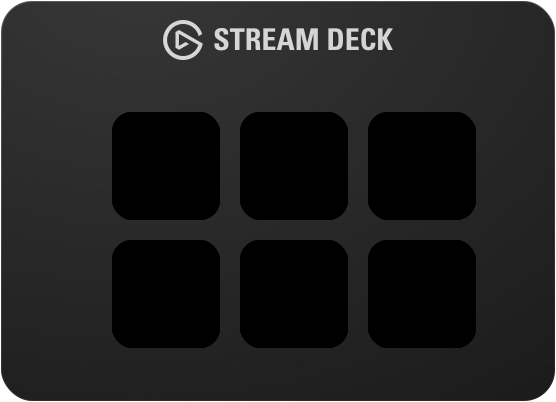
Each key opens Chrome with one profile or one page.
Interactive demo · Try any key
Keep work, personal life and client accounts separate. Give each starting point a key you can recognize at a glance.
Enable Stealth Mode on a profile or link key to launch it in Incognito.
Launch Profile
Choose a saved Chrome profile. Press its key to open Chrome with that profile’s accounts and bookmarks.
The key shows the profile’s Google account picture when one is available.

Launch Link
Open a specific URL in the profile you choose. Your client’s inbox or project board is one press away.
The site icon carries a small profile picture, so both are easy to recognize.
Launch PWA
Launch a web app installed in your chosen Chrome profile, without the browser toolbar.
Install the app in that profile first, then select it in the key settings.
A quick setup in the Stream Deck app. No browser extension needed for the three launch actions.
Requires Windows 10+ or macOS 12+, Google Chrome, Stream Deck hardware and Stream Deck software 6.9+.
Setup guide & troubleshootingGet the plugin on the Elgato Marketplace. You’ll find its actions in the Stream Deck app.
Drag a launch action onto a key. Select a Chrome profile, then add a URL or choose an installed web app if needed.
Your key opens the chosen profile, page or app. A brief flash confirms that the launch was sent.
Optional · Free extension · Beta
ChromeShift Companion connects Chrome to Stream Deck. Set a URL rule and trigger an action when you arrive at or leave a matching page.
Pairs with the ChromeShift plugin. Rules support wildcard patterns and run locally on your computer.
Download CompanionWhen you visit a matching page
project.example/*
Trigger your chosen Stream Deck action
Something else on your mind? Ask us
Yes. ChromeShift supports Windows 10 or later and macOS 12 or later. You need Google Chrome, Stream Deck hardware and Stream Deck software 6.9 or later.
No. Launch Profile, Launch Link and Launch PWA work with the Stream Deck plugin alone. The optional free Companion extension adds browser-based triggers using URL rules.
Yes. Turn on Stealth Mode in a profile or link key’s settings. That key then opens an Incognito window.
A Progressive Web App is a website installed as an app through Chrome. It opens in its own window without the browser toolbar. Install it in the Chrome profile you want to use, then choose it in the Launch PWA action.
The picture comes from your local Chrome profile data. Sign in to that profile with a Google account that has a picture and let Chrome sync it. Profiles without a picture use the default key icon. You can also set a custom icon.
No. The Elgato AI Deck uses the Stream Deck MCP server to fire actions on the currently visible profile, but it cannot trigger ChromeShift profile launches. Profile switches are not exposed through the MCP server. For browser automation, use the ChromeShift Companion extension instead.
Yes. Arise Context Switcher for Google Chrome and Context Switcher for Chrome are previous names used on this website for the same plugin. Its canonical Elgato Marketplace name is ChromeShift.
Put your everyday Chrome starting points on your Stream Deck.
Buy on Elgato Marketplace (opens in a new tab)One-time purchase. Yours to keep.