
Arise Google Workspace
for Stream Deck
Six actions, four dials, your whole meeting day: the Workspace key draws today’s agenda live and joins the next meeting on time, follow-ups book themselves into the first slot that’s free for everyone, and running-late messages name the actual meeting. Direct OAuth, narrow scopes, no Arise servers.
Published by Arise Create · arise-create.de
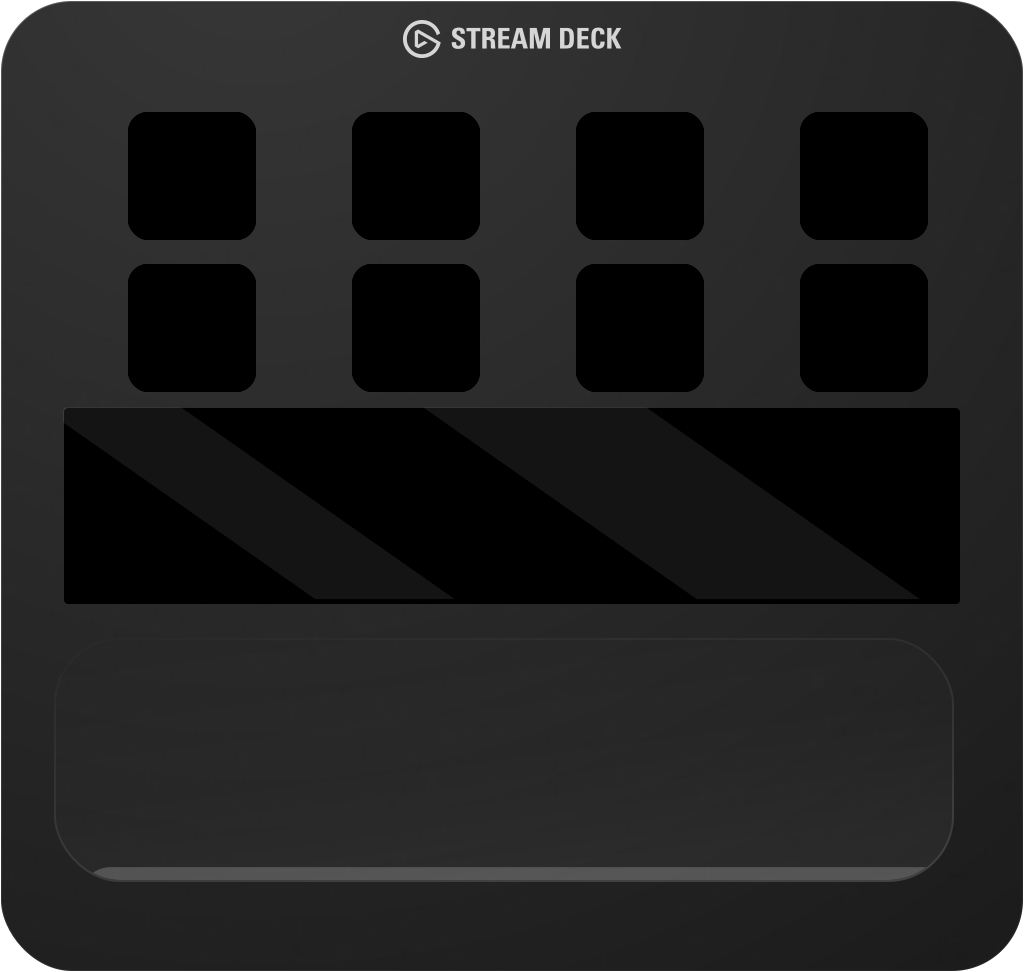

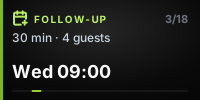

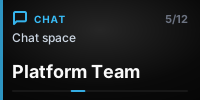
A live deck — every key face and touch-strip segment is rendered by the plugin’s own renderer. Press the keys.
Everything a meeting day needs.
Six single-purpose actions — each does one obvious thing in one press, with near-zero setup. The key faces below are the plugin’s real renders, not illustrations.

Workspace
One key, four surfaces: shows today’s agenda live and joins the next meeting when it’s time — or opens Calendar, Gmail, a chat picked from your real spaces, or Drive. The plain Calendar, Mail, and Drive launchers work before you even connect an account.

Join Meeting
Joins your next Google Meet in one press. Optionally posts “joining now” to the right chat — announcing is off until you switch it on.

Announce
Running late, on my way, or your own words — posted to the space you chose, with the {meeting} tag replaced by your actual meeting’s title.

Email Attendees
Opens a Gmail draft addressed to everyone in your current meeting, the one you just left, or the next one — subject pre-filled with the meeting name.

Schedule Follow-up
Reads every attendee’s free/busy and books the first slot inside working hours that fits all of them — Meet link included. You never pick a time.

Extend Meeting
Books a continuation starting the moment the current meeting ends — same people, same length. Only live while a meeting is actually running or has just ended.
Made for dials.
On a Stream Deck +, three actions gain a dial: the touch strip becomes a live scrubber — turn to browse, press to act. These strips are the plugin’s real touch-strip renders.
Scrub your agenda
The Workspace dial walks today’s meetings one by one — press to open or join the one on screen.
Browse free slots
The Follow-up dial steps through slots verified free for every attendee — press to book the one you like.
Pick an extension
The Extend dial chooses how much longer — match the meeting’s own length or add minutes — press to book the continuation.
Jump to a chat
Pointed at Chat, the Workspace dial browses your real spaces — press to open the one on screen.
The ambient day view
When nobody touches the dials for a few seconds, neighbouring Arise dials merge into one wide resting display that pages through today’s agenda and your unread mail — freezing on a meeting once it’s live or about to start. Press any dial to act on the page shown; turn one to take back its own controls.


Direct. Local. Transparent.
The plugin talks directly from your machine to Google’s APIs via OAuth 2.0 — no CLI bridge, no cloud relay, no Arise servers between your hardware and Google.
Install the plugin
Request access via the Arise Create publisher profile. During the private beta you’ll receive the plugin directly. No extra tools, no command line, no external dependencies.
Authorize with Google OAuth
Grant permission via Google’s standard OAuth 2.0 flow directly in your browser. Arise never sees your credentials or access tokens, and disconnecting later wipes everything the plugin read.
Your keys go live
The plugin calls Google’s APIs directly and renders your agenda, unread counts, and meeting context on hardware keys and dials in real time.
Every scope, and why.
The plugin requests ten narrow OAuth scopes — none in Google’s restricted category. It writes only when you press a key that explicitly says it will: creating a follow-up or extension, or sending the chat message you configured.
| Service | OAuth Scope | Purpose |
|---|---|---|
| Calendar (events) | calendar.events | Read your agenda for the key faces and dials. Creates an event only when you press Schedule Follow-up or Extend Meeting. |
| Calendar (list) | calendar.calendarlist.readonly | List your calendar names so you can pick which one the agenda reads. Nothing else. |
| Calendar (availability) | calendar.freebusy | Check whether attendees are free or busy before booking — time windows only, never the contents of anyone’s events. |
| Chat (spaces) | chat.spaces.readonly | List your chat spaces so you can pick a destination. Cannot read any messages. |
| Chat (members) | chat.memberships.readonly | See who is in a space, so direct messages can be told apart and labeled correctly. |
| Chat (send) | chat.messages.create | Send exactly the message you press a key to send. Cannot read, edit, or delete any message. |
| Directory | directory.readonly | Turn colleagues’ IDs into names when labeling your direct messages. Read-only, naming only. |
| Contacts | contacts.readonly | Name chat partners who aren’t in your Workspace directory. Read-only, naming only. |
| Gmail | gmail.labels | Unread counts per label — numbers only. Cannot read, send, or delete email; not even subject lines. |
| Identity | openid | Tell your own account apart from other people in a conversation. Grants no access to any Google data. |
calendar.eventsRead your agenda for the key faces and dials. Creates an event only when you press Schedule Follow-up or Extend Meeting.
calendar.calendarlist.readonlyList your calendar names so you can pick which one the agenda reads. Nothing else.
calendar.freebusyCheck whether attendees are free or busy before booking — time windows only, never the contents of anyone’s events.
chat.spaces.readonlyList your chat spaces so you can pick a destination. Cannot read any messages.
chat.memberships.readonlySee who is in a space, so direct messages can be told apart and labeled correctly.
chat.messages.createSend exactly the message you press a key to send. Cannot read, edit, or delete any message.
directory.readonlyTurn colleagues’ IDs into names when labeling your direct messages. Read-only, naming only.
contacts.readonlyName chat partners who aren’t in your Workspace directory. Read-only, naming only.
gmail.labelsUnread counts per label — numbers only. Cannot read, send, or delete email; not even subject lines.
openidTell your own account apart from other people in a conversation. Grants no access to any Google data.
All Data Stays on Your Machine
The plugin communicates directly from your machine to Google’s APIs over HTTPS. Arise Create operates no servers between your Stream Deck and your Google account. Authentication runs entirely through Google’s own OAuth infrastructure — Arise never sees your credentials.
- ✓No Arise server ever receives your Google data
- ✓None of the ten requested scopes are in Google’s restricted category — and Drive needs none at all
- ✓The plugin writes only when you press a key that explicitly says it will
- ✓Revoke access anytime at myaccount.google.com/security — or just disconnect in the plugin, which clears everything it read from your account
Add Google Workspace to Your Stream Deck
Arise Google Workspace for Stream Deck is currently in private beta. Visit the Elgato Marketplace publisher profile to request access and follow release updates.