
Arise Google Workspace
for Stream Deck
Sechs Aktionen, vier Drehregler, dein ganzer Meeting-Tag: Die Workspace-Taste zeigt deine heutige Agenda live und tritt dem nächsten Meeting pünktlich bei, Follow-ups buchen sich selbst in den ersten Slot, der für alle frei ist, und Verspätungsnachrichten nennen das echte Meeting. Direktes OAuth, eng gefasste Scopes, keine Arise-Server.
Veröffentlicht von Arise Create · arise-create.de
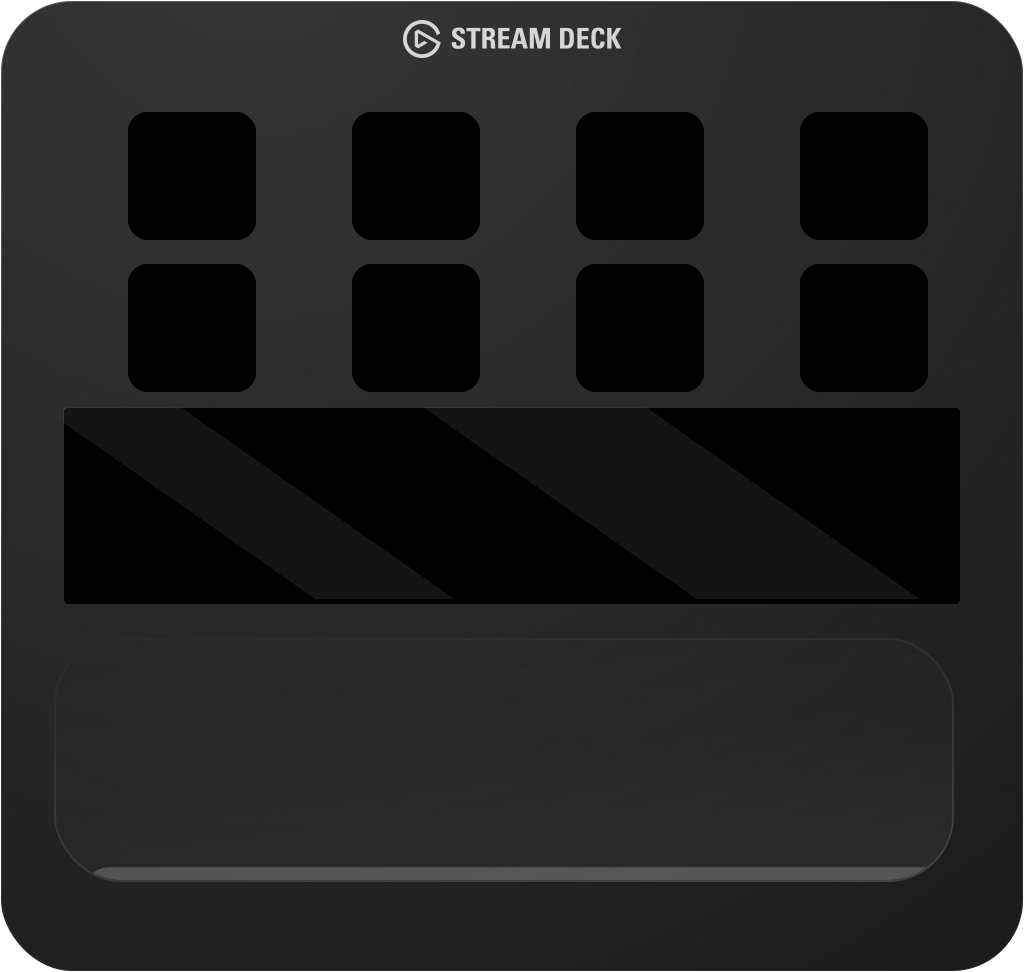

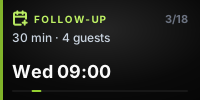
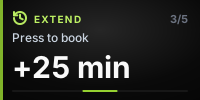
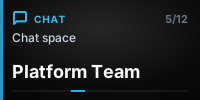
Ein echtes Deck — jede Tastenfläche und jedes Touch-Strip-Segment stammt aus dem Renderer des Plugins selbst. Drück die Tasten.
Alles, was ein Meeting-Tag braucht.
Sechs Aktionen mit je einem klaren Zweck — jede erledigt eine offensichtliche Sache mit einem Druck, fast ohne Einrichtung. Die Tastenflächen unten sind echte Renderings des Plugins, keine Illustrationen.

Workspace
Eine Taste, vier Oberflächen: zeigt die heutige Agenda live und tritt dem nächsten Meeting bei, wenn es Zeit ist — oder öffnet Kalender, Gmail, einen Chat aus deinen echten Bereichen oder Drive. Die reinen Kalender-, Mail- und Drive-Launcher funktionieren sogar ohne verbundenes Konto.

Join Meeting
Tritt deinem nächsten Google Meet mit einem Druck bei. Optional wird „joining now“ in den passenden Chat gepostet — das Ankündigen ist aus, bis du es einschaltest.

Announce
„Running late“, „On my way“ oder dein eigener Text — gepostet in den gewählten Bereich, wobei der {meeting}-Tag durch den Titel deines echten Meetings ersetzt wird.

Email Attendees
Öffnet einen Gmail-Entwurf an alle Teilnehmer deines aktuellen, gerade beendeten oder nächsten Meetings — Betreff mit dem Meeting-Namen vorbelegt.

Schedule Follow-up
Liest die Frei/Belegt-Zeiten aller Teilnehmer und bucht den ersten Slot innerhalb der Arbeitszeiten, der für alle passt — inklusive Meet-Link. Du wählst nie eine Uhrzeit.

Extend Meeting
Bucht eine Fortsetzung, die genau dann beginnt, wenn das aktuelle Meeting endet — gleiche Personen, gleiche Länge. Nur aktiv, während ein Meeting wirklich läuft oder gerade geendet hat.
Gemacht für Drehregler.
Auf einem Stream Deck + bekommen drei Aktionen einen Drehregler: Der Touch-Strip wird zum Live-Scrubber — drehen zum Blättern, drücken zum Ausführen. Diese Strips sind die echten Touch-Strip-Renderings des Plugins.
Agenda durchblättern
Der Workspace-Regler geht die heutigen Meetings einzeln durch — drücken öffnet oder betritt das angezeigte.
Freie Slots durchsuchen
Der Follow-up-Regler blättert durch Slots, die für alle Teilnehmer verifiziert frei sind — drücken bucht den angezeigten.
Verlängerung wählen
Der Extend-Regler wählt, wie viel länger — die eigene Meeting-Länge oder zusätzliche Minuten — drücken bucht die Fortsetzung.
Direkt in einen Chat
Auf Chat gestellt, blättert der Workspace-Regler durch deine echten Bereiche — drücken öffnet den angezeigten.
Die Ambient-Tagesansicht
Wenn ein paar Sekunden niemand die Regler berührt, verschmelzen benachbarte Arise-Regler zu einer breiten Ruheanzeige, die durch deine heutige Agenda und ungelesene Mails blättert — und auf einem Meeting stehen bleibt, sobald es läuft oder gleich beginnt. Ein Druck auf einen beliebigen Regler wirkt auf die angezeigte Seite; Drehen holt dem Regler seine eigene Steuerung zurück.


Direkt. Lokal. Transparent.
Das Plugin kommuniziert direkt von deinem Rechner mit Googles APIs über OAuth 2.0 — keine CLI-Brücke, kein Cloud-Relay, keine Arise-Server zwischen deiner Hardware und Google.
Plugin installieren
Zugang über das Arise Create Publisher-Profil anfragen. Während der Private Beta erhältst du das Plugin direkt. Keine Zusatztools, keine Kommandozeile, keine externen Abhängigkeiten.
Mit Google OAuth autorisieren
Erteile die Berechtigung über Googles Standard-OAuth-2.0-Flow direkt in deinem Browser. Arise sieht niemals deine Zugangsdaten oder Access-Tokens — und beim Trennen wird alles gelöscht, was das Plugin gelesen hat.
Deine Tasten werden live
Das Plugin ruft Googles APIs direkt auf und rendert Agenda, ungelesene Mails und Meeting-Kontext in Echtzeit auf Hardware-Tasten und -Reglern.
Jeder Scope — und warum.
Das Plugin fordert zehn eng gefasste OAuth-Scopes an — keiner fällt in Googles eingeschränkte Kategorie. Es schreibt nur, wenn du eine Taste drückst, die genau das ankündigt: ein Follow-up oder eine Verlängerung anlegen oder die von dir konfigurierte Chat-Nachricht senden.
| Dienst | OAuth-Scope | Zweck |
|---|---|---|
| Kalender (Termine) | calendar.events | Liest deine Agenda für Tastenflächen und Regler. Legt nur dann einen Termin an, wenn du Schedule Follow-up oder Extend Meeting drückst. |
| Kalender (Liste) | calendar.calendarlist.readonly | Listet deine Kalendernamen auf, damit du wählen kannst, welchen die Agenda liest. Mehr nicht. |
| Kalender (Verfügbarkeit) | calendar.freebusy | Prüft vor dem Buchen, ob Teilnehmer frei oder belegt sind — nur Zeitfenster, niemals die Inhalte fremder Termine. |
| Chat (Bereiche) | chat.spaces.readonly | Listet deine Chat-Bereiche auf, damit du ein Ziel wählen kannst. Kann keine Nachrichten lesen. |
| Chat (Mitglieder) | chat.memberships.readonly | Erkennt, wer in einem Bereich ist, damit Direktnachrichten unterschieden und korrekt beschriftet werden. |
| Chat (Senden) | chat.messages.create | Sendet genau die Nachricht, für die du eine Taste drückst. Kann keine Nachricht lesen, ändern oder löschen. |
| Verzeichnis | directory.readonly | Macht aus Kollegen-IDs Namen für die Beschriftung deiner Direktnachrichten. Nur lesend, nur für Namen. |
| Kontakte | contacts.readonly | Benennt Chat-Partner, die nicht in deinem Workspace-Verzeichnis stehen. Nur lesend, nur für Namen. |
| Gmail | gmail.labels | Ungelesen-Zähler pro Label — nur Zahlen. Kann E-Mails weder lesen noch senden noch löschen — nicht einmal Betreffzeilen. |
| Identität | openid | Unterscheidet dein eigenes Konto von anderen Personen in einer Unterhaltung. Gewährt keinen Zugriff auf Google-Daten. |
calendar.eventsLiest deine Agenda für Tastenflächen und Regler. Legt nur dann einen Termin an, wenn du Schedule Follow-up oder Extend Meeting drückst.
calendar.calendarlist.readonlyListet deine Kalendernamen auf, damit du wählen kannst, welchen die Agenda liest. Mehr nicht.
calendar.freebusyPrüft vor dem Buchen, ob Teilnehmer frei oder belegt sind — nur Zeitfenster, niemals die Inhalte fremder Termine.
chat.spaces.readonlyListet deine Chat-Bereiche auf, damit du ein Ziel wählen kannst. Kann keine Nachrichten lesen.
chat.memberships.readonlyErkennt, wer in einem Bereich ist, damit Direktnachrichten unterschieden und korrekt beschriftet werden.
chat.messages.createSendet genau die Nachricht, für die du eine Taste drückst. Kann keine Nachricht lesen, ändern oder löschen.
directory.readonlyMacht aus Kollegen-IDs Namen für die Beschriftung deiner Direktnachrichten. Nur lesend, nur für Namen.
contacts.readonlyBenennt Chat-Partner, die nicht in deinem Workspace-Verzeichnis stehen. Nur lesend, nur für Namen.
gmail.labelsUngelesen-Zähler pro Label — nur Zahlen. Kann E-Mails weder lesen noch senden noch löschen — nicht einmal Betreffzeilen.
openidUnterscheidet dein eigenes Konto von anderen Personen in einer Unterhaltung. Gewährt keinen Zugriff auf Google-Daten.
Alle Daten bleiben auf deinem Rechner
Das Plugin kommuniziert direkt von deinem Rechner mit Googles APIs über HTTPS. Arise Create betreibt keine Server zwischen deinem Stream Deck und deinem Google-Konto. Die Authentifizierung läuft vollständig über Googles eigene OAuth-Infrastruktur — Arise sieht niemals deine Zugangsdaten.
- ✓Kein Arise-Server erhält jemals deine Google-Daten
- ✓Keiner der zehn angeforderten Scopes liegt in Googles eingeschränkter Kategorie — und Drive braucht gar keinen
- ✓Das Plugin schreibt nur, wenn du eine Taste drückst, die genau das ankündigt
- ✓Zugriff jederzeit unter myaccount.google.com/security widerrufen — oder einfach im Plugin trennen, was alles Gelesene löscht
Hol dir Google Workspace auf dein Stream Deck
Arise Google Workspace für Stream Deck ist derzeit in der Private Beta. Besuche das Elgato-Marketplace-Publisher-Profil, um Zugang anzufragen und Release-Updates zu folgen.