
 scale(4)' fill='none' stroke-linecap='round' stroke-linejoin='round'%3E%3Crect x='8.25' y='1.75' width='7.5' height='12.5' rx='3.75' fill='%235E6168'/%3E%3Cpath d='M4 10.5a1.25 1.25 0 0 1 2.5 0a5.5 5.5 0 0 0 11 0a1.25 1.25 0 0 1 2.5 0a8 8 0 0 1-16 0z' fill='%235E6168'/%3E%3Cpath d='M12 17.25v3.5M8.75 20.75h6.5' stroke='%235E6168' stroke-width='2.5'/%3E%3C/g%3E%3C/svg%3E)
 scale(4)' fill='none' stroke-linecap='round' stroke-linejoin='round'%3E%3Crect x='8.25' y='1.75' width='7.5' height='12.5' rx='3.75' fill='%239499A3'/%3E%3Cpath d='M4 10.5a1.25 1.25 0 0 1 2.5 0a5.5 5.5 0 0 0 11 0a1.25 1.25 0 0 1 2.5 0a8 8 0 0 1-16 0z' fill='%239499A3'/%3E%3Cpath d='M12 17.25v3.5M8.75 20.75h6.5' stroke='%239499A3' stroke-width='2.5'/%3E%3C/g%3E%3C/svg%3E)
'/%3E%3Cg transform='translate(24 12) scale(4)' fill='none' stroke-linecap='round' stroke-linejoin='round'%3E%3Cpath d='M2.5 15v-3a9.5 9.5 0 0 1 19 0v3H19v-3a7 7 0 0 0-14 0v3z' fill='%23FFFFFF'/%3E%3Crect x='2.5' y='12.5' width='5.5' height='9' rx='2.5' fill='%23FFFFFF'/%3E%3Crect x='16' y='12.5' width='5.5' height='9' rx='2.5' fill='%23FFFFFF'/%3E%3C/g%3E%3Cg font-family='Arial' font-weight='bold' font-size='22' text-anchor='middle' fill='%23FFFFFF'%3E%3Ctext x='72' y='129'%3Estandup%3C/text%3E%3C/g%3E%3C/svg%3E)
'/%3E%3Cg transform='translate(24 24) scale(4)' fill='none' stroke-linecap='round' stroke-linejoin='round'%3E%3Crect x='8.25' y='1.75' width='7.5' height='12.5' rx='3.75' fill='%23FFFFFF'/%3E%3Cpath d='M4 10.5a1.25 1.25 0 0 1 2.5 0a5.5 5.5 0 0 0 11 0a1.25 1.25 0 0 1 2.5 0a8 8 0 0 1-16 0z' fill='%23FFFFFF'/%3E%3Cpath d='M12 17.25v3.5M8.75 20.75h6.5' stroke='%23FFFFFF' stroke-width='2.5'/%3E%3C/g%3E%3C/svg%3E)
'/%3E%3Cg transform='translate(24 24) scale(4)' fill='none' stroke-linecap='round' stroke-linejoin='round'%3E%3Cpath d='M8.27 5.09A3.75 3.75 0 0 1 15.75 5.5v5a3.75 3.75 0 0 1-.395 1.675z' fill='%23FFFFFF'/%3E%3Cpath d='M4 10.5a1.25 1.25 0 0 1 2.5 0A5.5 5.5 0 0 0 12 16v2.5a8 8 0 0 1-8-8z' fill='%23FFFFFF'/%3E%3Cpath d='M17.5 10.5a1.25 1.25 0 0 1 2.5 0a8 8 0 0 1-.678 3.223a1.25 1.25 0 0 1-2.288-1.007A5.5 5.5 0 0 0 17.5 10.5z' fill='%23FFFFFF'/%3E%3Cpath d='M12 17.25v3.5M8.75 20.75h6.5' stroke='%23FFFFFF' stroke-width='2.5'/%3E%3Cline x1='3.5' y1='3.5' x2='20.5' y2='20.5' stroke='%23FFFFFF' stroke-width='2.5'/%3E%3C/g%3E%3C/svg%3E)
'/%3E%3Cg transform='translate(24 24) scale(4)' fill='none' stroke-linecap='round' stroke-linejoin='round'%3E%3Crect x='1.5' y='3' width='21' height='12' rx='3' fill='%23FFFFFF'/%3E%3Cpath d='M12 14.5v4.25M8 19.5h8' stroke='%23FFFFFF' stroke-width='2.5'/%3E%3Cpath d='M12 12.25V6.25M9 8.75l3-3 3 3' stroke='url(%23cut)' stroke-width='2.5'/%3E%3C/g%3E%3C/svg%3E)
'/%3E%3Cg transform='translate(24 24) scale(4)' fill='none' stroke-linecap='round' stroke-linejoin='round'%3E%3Crect x='1.5' y='3' width='21' height='12' rx='3' fill='%23FFFFFF'/%3E%3Cpath d='M12 14.5v4.25M8 19.5h8' stroke='%23FFFFFF' stroke-width='2.5'/%3E%3Cpath d='M12 12.25V6.25M9 8.75l3-3 3 3' stroke='url(%23cut)' stroke-width='2.5'/%3E%3C/g%3E%3C/svg%3E)
Stummschalten
Schaltet dein Mikrofon stumm und wieder an.
Schon installiert?Zur Einrichtung
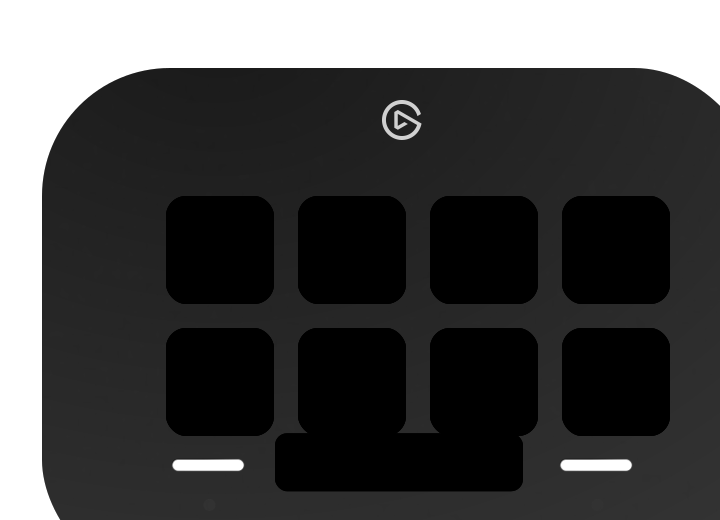
Arise Slack Huddle Control bringt Slack-Huddles auf dein Stream Deck, unter Windows und macOS. Drück eine Taste, und Slack zieht nach. Schalte dich mit der Maus stumm, und die Taste zieht nach. Auf dieser Website hieß das Plugin zuvor Arise Huddle Control for Slack.
Im Elgato Marketplace kaufen (öffnet in neuem Tab)Kostenpflichtiges Stream-Deck-Plugin für Slack-Huddles. Einmalkauf im Elgato Marketplace, kein Abo.
Du bist im Huddle. Drück eine Taste oder klick unten auf eine Huddle-Schaltfläche in Slack.
Slack, simuliert
Geöffneter Channel: #standup
Die Tasten drücken die Huddle-Schaltflächen in Slack selbst. Deshalb funktionieren sie auch, wenn Slack hinter anderen Fenstern liegt.
Fast schwarz Slack läuft nicht.
Dunkel Kein Huddle.
Violett Huddle starten.
Grün Mikrofon an, Kamera an.
Rot Stumm, Kamera aus, Verlassen.
Grau Kein Teilen, Hand unten, Thread zu.
Blau Teilen, Hand gehoben, Thread offen.
Schaltet dein Mikrofon stumm und wieder an.
Schaltet deine Kamera an und aus.
Öffnet in Slack die Bildschirmauswahl. Blau, solange du teilst. Ein Tastendruck beendet es.
Hebt und senkt deine Hand.
Öffnet und schließt den Thread des Huddles.
Zeigt die in Slack geöffnete Unterhaltung und startet dort einen Huddle.
Verlässt den Huddle mit einem Tastendruck.
Kein Huddle? Drück eine Taste, und Stream Deck zeigt sein Warnzeichen.
Berechtigung
Windows: Keine.
Mac: Bedienungshilfen, für Elgato Stream Deck.
Ein Tastendruck
Windows: Das Huddle-Fenster kommt kurz nach vorn, dann hat deine App wieder den Fokus. Bei Huddle starten und Teilen bleibt Slack vorn.
Mac: Slack bleibt im Hintergrund.
Eine Änderung in Slack
Windows: Ist nach etwa einer Viertelsekunde auf der Taste.
Mac: Ist nach etwa einer Sekunde auf der Taste.
Du brauchst die Slack-Desktop-App, auf Deutsch oder Englisch eingestellt, und Stream Deck ab 7.0.
Drei Schritte. Der Mac braucht zusätzlich die Bedienungshilfen-Berechtigung.
Finde Arise Slack Huddle Control im Elgato Marketplace.
Im Elgato Marketplace kaufen (öffnet in neuem Tab)Keine der sieben braucht eine Einstellung.
Öffne die Systemeinstellungen, geh zu Datenschutz & Sicherheit, dann zu Bedienungshilfen, und schalte Elgato Stream Deck ein.
Die dunklen Tasten leuchten auf.
Ausführliche Anleitung und FehlerbehebungPrefer English? Open the English page.
Keine Telemetrie, keine Update-Prüfung, kein Konto. Es läuft auf deinem Rechner, liest dort die Huddle-Schaltflächen von Slack und spricht nur mit der Stream-Deck-App.
Fehlt etwas? Schreib uns.
Ja, im Huddle. Die Taste ist grün, solange dein Mikrofon an ist, und rot mit durchgestrichenem Mikrofon, wenn Slack dich als stumm anzeigt.
Ja. Auf dem Mac bleibt Slack im Hintergrund. Unter Windows kommt das Huddle-Fenster kurz nach vorn, dann hat deine App wieder den Fokus.
Ja. Es funktioniert mit dem im Slack-Fenster angedockten Huddle und mit dem Huddle im eigenen Fenster.
Mit der Slack-Desktop-App unter Windows 11 und macOS ab 15, wenn Slack auf Deutsch oder Englisch eingestellt ist. Slack im Browser wird nicht unterstützt.
Es ist ein kostenpflichtiges Plugin, das du einmal im Elgato Marketplace kaufst. Kein Abo. Den aktuellen Preis zeigt der Marketplace.
Nein. Das Plugin stellt keine Netzwerkanfragen. Es führt ein lokales Diagnoseprotokoll auf deinem Rechner.
Ja. Arise Huddle Control for Slack ist ein früherer Name auf dieser Website für dasselbe Plugin. Der maßgebliche Name im Elgato Marketplace ist Arise Slack Huddle Control.
Kostenpflichtiges Plugin. Einmalkauf im Elgato Marketplace, kein Abo.
'/%3E%3Cg transform='translate(24 24) scale(4)' fill='none' stroke-linecap='round' stroke-linejoin='round'%3E%3Crect x='1.5' y='6' width='13.5' height='12' rx='3' fill='%23FFFFFF'/%3E%3Cpath d='M17.5 11.25l4-3v7.5l-4-3z' fill='%23FFFFFF' stroke='%23FFFFFF' stroke-width='2'/%3E%3C/g%3E%3C/svg%3E)
'/%3E%3Cg transform='translate(24 24) scale(4)' fill='none' stroke-linecap='round' stroke-linejoin='round'%3E%3Crect x='1.5' y='6' width='13.5' height='12' rx='3' fill='%23FFFFFF'/%3E%3Cline x1='3.5' y1='3.5' x2='20.5' y2='20.5' stroke='url(%23cut)' stroke-width='4.5'/%3E%3Cpath d='M17.5 11.25l4-3v7.5l-4-3z' fill='%23FFFFFF' stroke='%23FFFFFF' stroke-width='2'/%3E%3Cline x1='3.5' y1='3.5' x2='20.5' y2='20.5' stroke='%23FFFFFF' stroke-width='2.5'/%3E%3C/g%3E%3C/svg%3E)
'/%3E%3Cg transform='translate(24 24) scale(4)' fill='none' stroke-linecap='round' stroke-linejoin='round'%3E%3Cg transform='translate(-.5 -.25)'%3E%3Cpath d='M9 5.75v7.5M12.5 3.5v9.75M16 4.5v8.75M19.5 7.25v6' stroke='%23FFFFFF' stroke-width='2.5'/%3E%3Cpath d='M7.75 11.5h2.5a.5.5 0 0 0 1 0h2.5a.5.5 0 0 0 1 0h2.5a.5.5 0 0 0 1 0h2.5v3.75a6.5 6.5 0 0 1-13 0z' fill='%23FFFFFF'/%3E%3Cpath d='M11.94 19.68Q7 17.1 4.75 12.75' stroke='%23FFFFFF' stroke-width='3'/%3E%3Cpath d='M6.834 13.336A.5.5 0 0 0 7.75 13.058H9v2.692L5.587 14.169z' fill='%23FFFFFF'/%3E%3C/g%3E%3C/g%3E%3C/svg%3E)
'/%3E%3Cg transform='translate(24 24) scale(4)' fill='none' stroke-linecap='round' stroke-linejoin='round'%3E%3Cg transform='translate(-.5 -.25)'%3E%3Cpath d='M9 5.75v7.5M12.5 3.5v9.75M16 4.5v8.75M19.5 7.25v6' stroke='%23FFFFFF' stroke-width='2.5'/%3E%3Cpath d='M7.75 11.5h2.5a.5.5 0 0 0 1 0h2.5a.5.5 0 0 0 1 0h2.5a.5.5 0 0 0 1 0h2.5v3.75a6.5 6.5 0 0 1-13 0z' fill='%23FFFFFF'/%3E%3Cpath d='M11.94 19.68Q7 17.1 4.75 12.75' stroke='%23FFFFFF' stroke-width='3'/%3E%3Cpath d='M6.834 13.336A.5.5 0 0 0 7.75 13.058H9v2.692L5.587 14.169z' fill='%23FFFFFF'/%3E%3C/g%3E%3C/g%3E%3C/svg%3E)
'/%3E%3Cg transform='translate(24 24) scale(4)' fill='none' stroke-linecap='round' stroke-linejoin='round'%3E%3Crect x='3' y='3' width='18' height='13.5' rx='4.5' fill='%23FFFFFF'/%3E%3Cpath d='M7.5 15.5v4l4.75-4z' fill='%23FFFFFF' stroke='%23FFFFFF' stroke-width='1.5'/%3E%3Ccircle cx='7.5' cy='9.75' r='1.5' fill='url(%23cut)'/%3E%3Ccircle cx='12' cy='9.75' r='1.5' fill='url(%23cut)'/%3E%3Ccircle cx='16.5' cy='9.75' r='1.5' fill='url(%23cut)'/%3E%3C/g%3E%3C/svg%3E)
'/%3E%3Cg transform='translate(24 24) scale(4)' fill='none' stroke-linecap='round' stroke-linejoin='round'%3E%3Crect x='3' y='3' width='18' height='13.5' rx='4.5' fill='%23FFFFFF'/%3E%3Cpath d='M7.5 15.5v4l4.75-4z' fill='%23FFFFFF' stroke='%23FFFFFF' stroke-width='1.5'/%3E%3Ccircle cx='7.5' cy='9.75' r='1.5' fill='url(%23cut)'/%3E%3Ccircle cx='12' cy='9.75' r='1.5' fill='url(%23cut)'/%3E%3Ccircle cx='16.5' cy='9.75' r='1.5' fill='url(%23cut)'/%3E%3C/g%3E%3C/svg%3E)
 scale(4)' fill='none' stroke-linecap='round' stroke-linejoin='round'%3E%3Cpath d='M2.5 15v-3a9.5 9.5 0 0 1 19 0v3H19v-3a7 7 0 0 0-14 0v3z' fill='%233DD68C'/%3E%3Crect x='2.5' y='12.5' width='5.5' height='9' rx='2.5' fill='%233DD68C'/%3E%3Crect x='16' y='12.5' width='5.5' height='9' rx='2.5' fill='%233DD68C'/%3E%3C/g%3E%3Cg font-family='Arial' font-weight='bold' font-size='22' text-anchor='middle' fill='%23FFFFFF'%3E%3Ctext x='72' y='129'%3EIn huddle%3C/text%3E%3C/g%3E%3C/svg%3E)
'/%3E%3Cg transform='translate(24 24) scale(4)' fill='none' stroke-linecap='round' stroke-linejoin='round'%3E%3Cpath d='M2.24 13.03A12.43 12.43 0 0 1 21.76 13.03L19.1 15.69L16.55 13.14V11.07A10.68 10.68 0 0 0 7.45 11.07V13.14L4.9 15.69Z' fill='%23FFFFFF' stroke='%23FFFFFF' stroke-width='2.5'/%3E%3C/g%3E%3C/svg%3E)